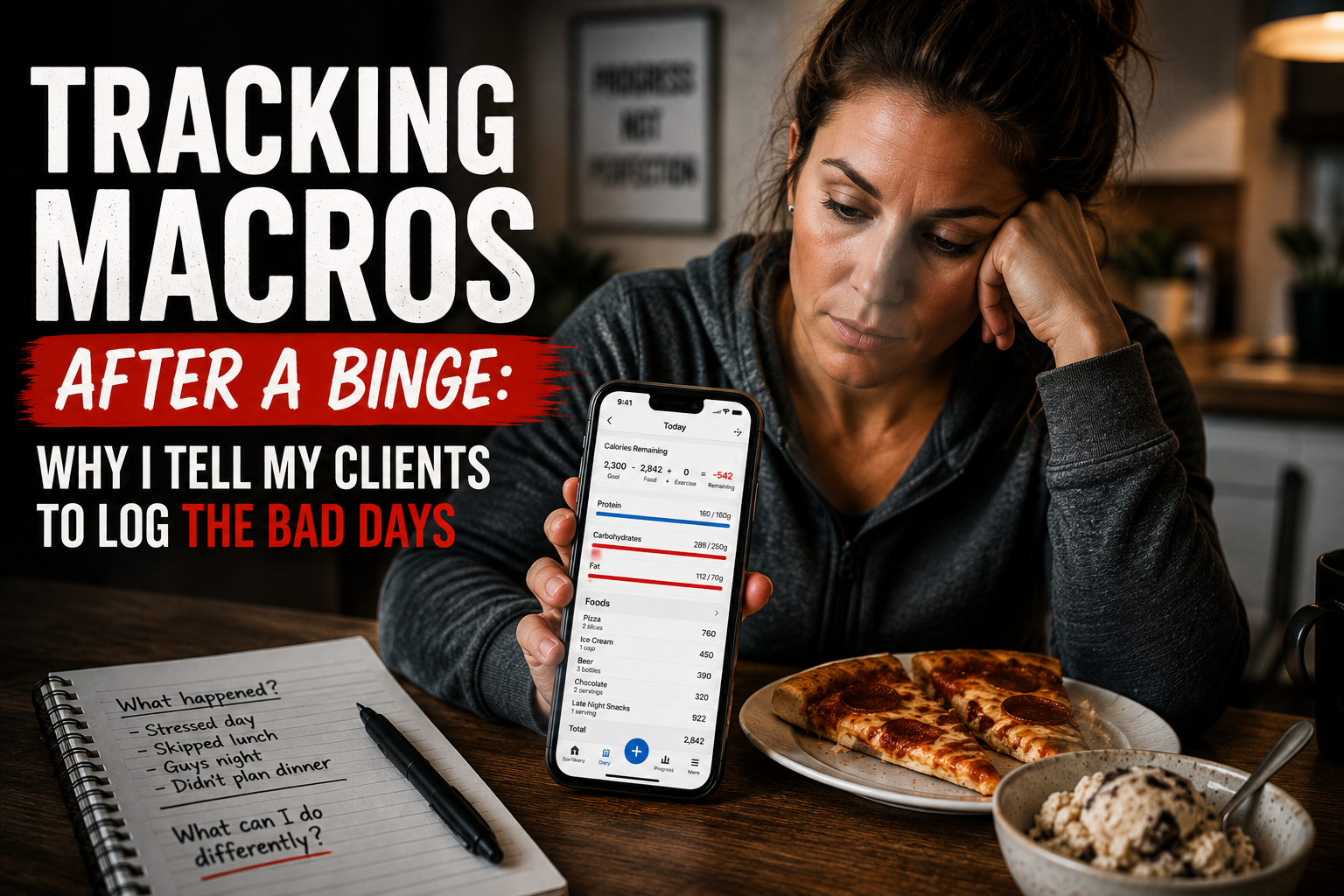
One of the most common questions I get as the founder of IIFYM is,
“What’s the best app for tracking macros?”
And honestly? That’s a fair question.There are hundreds of macro tracking apps out there, some free, some full of ads, some packed with advanced tools you may never use. The problem is, most people don’t need more noise. They need the best macro tracking app that just works, fast, accurate, and tailored to their goals.That’s why I decided to test and compare the most popular macro apps myself.I’ve been in the macro nutrition game long before tracking apps were a thing. When we first launched the original IIFYM Macro Calculator, there was nothing out there designed for flexible dieting. Today, people want a macro tracker that fits their lifestyle, whether they’re cutting, bulking, maintaining, or just trying not to lose their minds while losing weight.And if that’s you, you’re in the right place.This isn’t a generic list. I’m going to walk you through what I found after testing several of the most popular macro tracking apps, including MyFitnessPal, Cronometer, MacroFactor, and Lose It!.I’ll cover:
- What each app does well (and where it falls short)
- Which one fits best for beginners vs. advanced users
- Which app has the most accurate food database
- What features actually help you lose fat or build muscle
- How to choose the app you’ll use consistently
By the end of this article, you’ll know exactly which app will help you track macros with less stress and more results.Ready to find the best macro tracking app for your goals? Let’s get into it. And if you already know how to track but want someone helping you interpret the data, make adjustments, and stay accountable, my online weight loss coaching is the next step.
Why Macro Tracking Beats Calorie Counting for Real Results
If you’ve ever tried to lose weight just by counting calories, you’ve probably run into one of two problems:
- You lost weight, but ended up tired, hungry, and frustrated
- You didn’t lose any weight, even though the math looked “right”
I’ve seen this happen thousands of times. That’s because calories are only part of the story. If you’re not paying attention to your macros, protein, carbs, and fat, you’re leaving results on the table.When you use a proper macro tracker, you go beyond just eating less. You start eating smarter.Here’s why macro tracking works better:
- Protein helps preserve lean muscle (so the weight you lose is fat, not muscle)
- Carbs fuel your workouts, brain, and recovery
- Fats support hormones, satiety, and overall health
Research backs this up. A 2020 review of mobile weight-loss apps found that the most effective tools weren’t just calorie counters, they included macro breakdowns, goal-setting, and behavioral support (Ghelani et al., 2020).When you use a macro counting app that’s designed with these principles in mind, you’re not just tracking food, you’re optimizing your results.That’s the kind of strategy IIFYM has promoted from the start. It’s not about restriction. It’s about hitting the right macro ratios consistently, and eating the foods you enjoy while doing it.In the next section, I’ll break down the most popular macro tracking apps on the market today and how they compare.
Top 4 Macro Tracking Apps of 2025 (Tested & Reviewed)
Now let’s get to what you came here for, finding the best macro tracking app for your goals.I’ve personally tested each of the apps below using real-world scenarios: cutting for fat loss, bulking for muscle gain, eating out, logging fast, tracking accuracy, and more.Here’s my take on the top players in 2025:
1. MyFitnessPal
Still one of the most recognizable names in the game. Huge database. Easy to use. But unless you pay for Premium, expect intrusive ads, a clunky UI, and limited macro customization.
- ✅ Strengths: barcode scanner, restaurant database, wearable syncing
- ❌ Weaknesses: ad-heavy free version, user-generated food entries can be inaccurate
2. Cronometer
Hands down the most detailed nutrient tracker. If you’re deep into micronutrients and food data accuracy, this one’s for you. But it may feel overwhelming for beginners.
- ✅ Strengths: verified food database, micronutrient detail, fasting timer
- ❌ Weaknesses: slower logging, not the most intuitive interface
3. Lose It!
Simple and beginner-friendly. You can start tracking in minutes. It’s more calorie-focused than macro-focused, but works well for basic weight loss tracking.
- ✅ Strengths: clean interface, good for habit-building
- ❌ Weaknesses: lacks deeper macro insight, limited goal personalization
4. MacroFactor
One of the more advanced options. Built by smart people (with input from Greg Nuckols and Eric Trexler), it features adaptive macro adjustments and a trend-weight algorithm. Great for experienced users.
- ✅ Strengths: AI-powered macro engine, science-backed updates
- ❌ Weaknesses: steeper learning curve, not ideal for beginners
What I Learned From Comparing the Top Macro Trackers
After testing these apps, I don’t think there’s one perfect macro tracker for everyone.The best choice depends on how much detail you want, how experienced you are, and how quickly you want to log your food.
- MyFitnessPal works well for people who want a large food and restaurant database.
- Cronometer is strongest for detailed micronutrient tracking and verified food data.
- Lose It! is simple and approachable for beginners focused on basic weight loss.
- MacroFactor is a better fit for experienced users who want adaptive targets and deeper analytics.
Features can help, but consistency and accurate food entries will have a bigger impact than choosing the app with the longest feature list.
Which Macro Tracking App Is Best for You? (Based on Your Goals)
People track macros for different reasons. Some want to lose fat. Others want to gain muscle, maintain their weight, monitor micronutrients, or build better awareness around food.
1. Just Getting Started?
Lose It! or MyFitnessPal may be the easiest places to start. Both have large food databases and familiar interfaces, although some useful features may require a paid plan.
2. Trying to Lose Weight and Keep It Off?
Choose the app that makes daily logging easiest for you. Lose It! is simple and habit-focused. MyFitnessPal offers a large database and broad device support. The app matters less than logging accurately and following appropriate calorie and macro targets.
3. Building Muscle or Recomping?
MacroFactor may be the strongest option for experienced users who want adaptive targets and detailed trend data. Cronometer is also useful when food quality and micronutrient intake are priorities.
4. Focused on Micronutrients or Keto?
Cronometer is the clearest choice for detailed vitamins, minerals, and food-data accuracy. It also supports several specialized tracking preferences.
5. Need the Fastest, Simplest Option?
Test two apps for a few days and keep the one that creates the least friction. A tracker you use consistently will usually outperform a more advanced app you avoid opening.Once you’ve chosen an app, the next step is making sure you’re following the right targets for your body and goal.
Calculate Your Macros Before You Start Tracking
A tracking app can show you what you’re eating, but it can’t fix targets that were wrong from the beginning.Before you start logging, calculate personalized protein, carbohydrate, fat, and calorie targets based on your body, activity level, and goal.
Use the free IIFYM Macro Calculator to get your starting numbers.
Then use whichever tracking app helps you follow those numbers with the most consistency and the least stress.
Frequently Asked Questions About Macro Tracking Apps
1. What is the best macro tracking app?
The best macro tracking app is the one that fits your needs and that you’ll use consistently. MyFitnessPal has a large food database, Cronometer is strong for micronutrients and verified entries, Lose It! is beginner-friendly, and MacroFactor offers advanced adaptive tracking.
2. Can I track my macros for free?
Yes. Several popular apps offer free versions, although features such as custom targets, advanced reports, or barcode scanning may be limited or placed behind a paid plan.
3. Is there a macro calculator I can use?
Yes. The IIFYM Macro Calculator calculates starting targets based on your stats, activity level, and goal.
4. What features should I look for in a macro tracking app?
Look for reliable food data, custom macro targets, fast meal logging, saved meals, progress tracking, and an interface you find easy to use.
5. Are free macro tracking apps accurate?
They can be, but accuracy depends on the quality of the food database and the information you enter. Check nutrition labels, use verified entries when available, and weigh portions when precision is important.
6. Are macro trackers good for beginners?
Yes. A simple tracker can help beginners understand portions, protein intake, calorie density, and the macro content of common foods.
7. Can I track macros for bulking or cutting?
Yes. Most macro tracking apps allow you to enter custom calorie and macro targets for fat loss, muscle gain, maintenance, or body recomposition.
8. Do macro tracking apps offer meal suggestions?
Some do. Meal-planning and suggestion features vary by app and may require a paid subscription.
9. Which macro app has the best user experience?
That depends on your preferences. Test the apps that match your goals and keep the one that makes accurate logging feel easiest.
References
- Ghelani DP, Moran LJ, Johnson C, Mousa A, Naderpoor N. (2020). Mobile apps for weight management: A review of the latest evidence to inform practice. PubMed Central
- Islam MM, Poly TN, Walther BA, Yang HC, Li YCJ. (2020). Use of mobile phone app interventions to promote weight loss: Meta-analysis. PubMed Central
- National Institute of Diabetes and Digestive and Kidney Diseases. (2021). Overweight and obesity statistics. NIDDK
- Centers for Disease Control and Prevention. (2023). Steps for losing weight. CDC
- Taylor K, Tipton D, Jarvis M. (2022). Adult dehydration. NCBI Bookshelf
- StatPearls Publishing. (2023). Nutrition: Macronutrient Intake, Imbalances, and Interventions. NCBI Bookshelf
- MedlinePlus. (n.d.). Carbohydrates. MedlinePlus
- MedlinePlus. (n.d.). Dietary Proteins. MedlinePlus
- MedlinePlus Medical Encyclopedia. (n.d.). Dietary fats explained. Med